PEAK Gauge
PEAK Gauge
Low stock
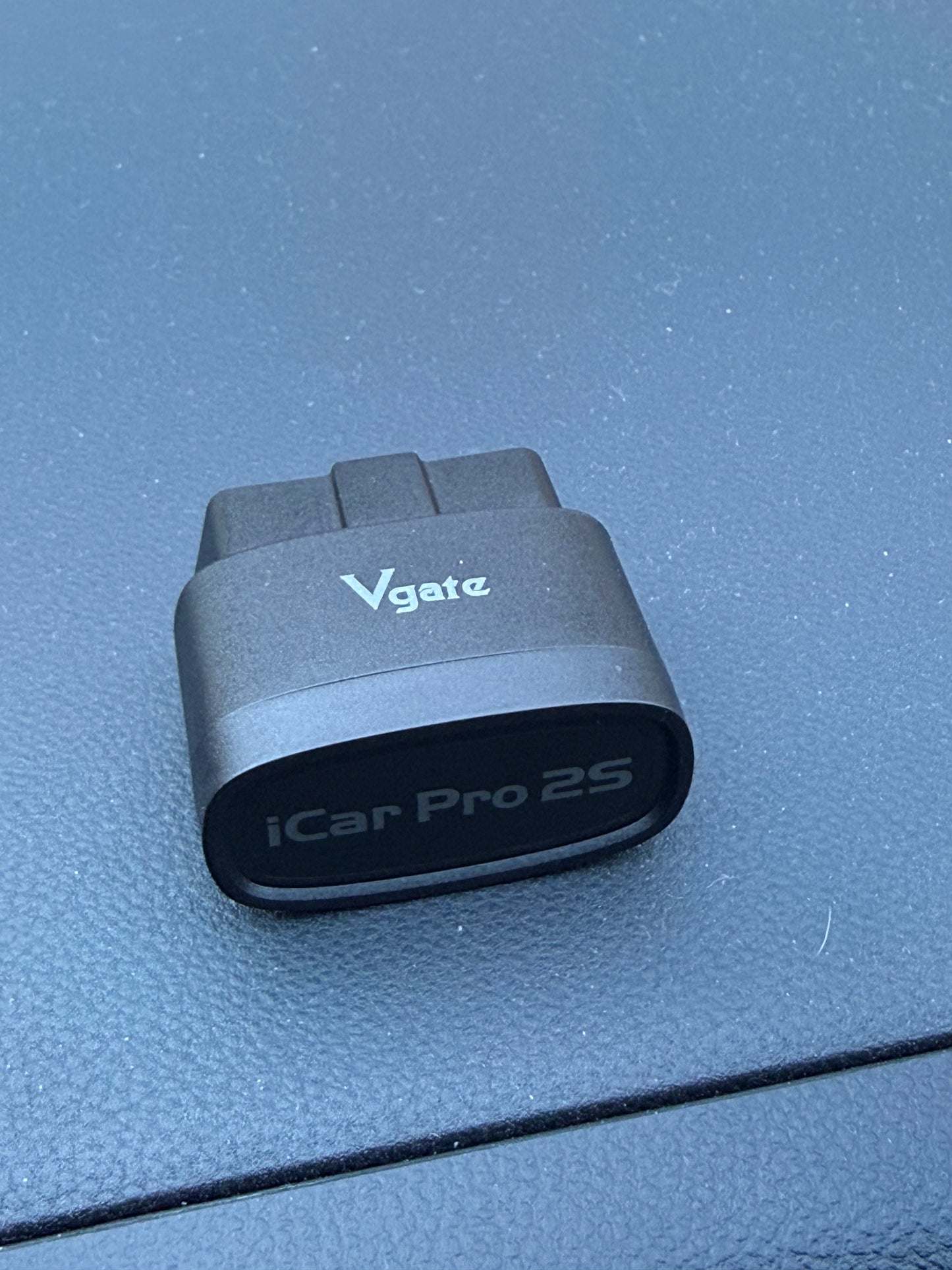
The Vgate iCar Pro 2S is sold out here. It's also available on Amazon (affiliate link).
Using your own adapter? See which ones we've tested.
Couldn't load pickup availability
Choose your version
Choose your version
Battery version
Built-in rechargeable battery, about 5–6 hours per charge. Good for a track day or a canyon run. Alerts with a red screen and a beep.
Plug-in version
Runs on USB power through a USB-C cable. Alerts with a red screen only: it has no speaker, so it doesn't beep.
Battery version contains a lithium-ion battery. Don't leave it in a hot parked car. Battery safety
Supported readings by vehicle
Supported readings by vehicle
PEAK Gauge works with any OBD-II car, which covers most cars and light trucks from 2000 on. What you see depends on three layers:
- Standard readings: on any OBD-II car, straight out of the box
- Your own readings: add anything else your car shares, if you know its PID
- Ready-made profiles: extra readings already set up for the cars listed below
PEAK Gauge reads your VIN when it connects and picks the right profile by itself. You can also choose one in System Settings → VEHICLE.
1. Any OBD-II car: standard readings
The gauge asks your car which standard readings it supports and shows those:
- Engine: RPM, engine load, engine torque (%), requested torque, timing advance, coolant temp, oil temp*
- Air and fuel: intake air temp, ambient air temp, mass airflow (MAF), manifold pressure, boost, commanded AFR, measured AFR, short- and long-term fuel trim
- Driving: speed, throttle position, accelerator pedal
- Other: battery voltage, fuel level, instant fuel economy (MPG or L/100 km)
- Trouble codes: read and clear check-engine codes
*Many cars don't report oil temp the standard way. Section 3 covers the cars where we've added it.
2. Any reading your car shares: custom profiles
If your car reports it over OBD-II, PEAK Gauge can show it. You just need the request (PID) and the formula. Build profiles in your phone's browser, from scratch or from a copy of one of ours:
- Manufacturer PIDs: readings beyond the standard set, such as oil temp, transmission temp or boost, from any module in the car, not just the engine computer
- Calculated readings: work a value out from other readings, like a sum, difference or ratio
- CAN (beta): read data your car broadcasts by itself. Whether this works through the OBD-II port depends on your car's gateway.
- RaceChrono-style equations: reuse PID lists already shared by your car's community
- Live data in the editor: shows your car's replies while you write each channel
Up to 5 profiles, each with up to 100 readings. How to make one →
Reaching modules other than the engine computer needs a capable adapter. See our tested adapters. Some cars also block extra data at the OBD-II port.
3. Ready-made profiles
Extra readings already set up, so nothing to configure.
Subaru BRZ / Toyota GR86 (Gen 2): the most readings and features
OBD-II port (recommended, any adapter): all the standard readings, plus oil temp, tire pressures and temps, wheel speeds, steering angle, brake pressure and the clutch. With a full GJP IO Box fitted, also its oil, fuel and coolant pressure, ethanol content and fuel temp. Turn off the fake engine sound (ASC) with one tap.
ASC connector (optional, for gear, fuel level and the pedals): this connector behind the dash sits on the car's body data bus, not the main one, so it reads a fixed set of channels instead of the full standard list:
- RPM, speed, coolant temp, manifold pressure, gear, tire pressures, oil temp, fuel level, the pedals, brake pressure, steering angle
- Oil pressure from an Ansix kit or a GJP Mini IO Box (how to set it up)
- Not available here: tire temps, wheel speeds, clutch, trouble codes, and the other standard readings such as intake temp, AFR and fuel trims
- Needs an ASC CAN adapter. Use it with a DauntlessOBD adapter (picked automatically, includes the ASC toggle), or with any adapter (choose the profile yourself in VEHICLE; no manifold pressure and no ASC toggle).
On all Gen 2 setups the screen dims with your headlights.
Toyota GR Supra (A90)
- Oil temp and pressure, tire pressures and temps, wheel speeds, steering angle, brake pressure, transmission temp, gear, boost target and fuel rail pressure. Turn off Active Sound Design (ASD) with one tap. Screen dims with your headlights.
Subaru BRZ / Toyota GT86 / Scion FR-S (Gen 1)
- Oil temp, tire pressures and temps (only confirmed on some years)
Mazda MX-5 (2016–2023)
- Tire pressures and temps, steering angle, brake position. Screen dims with your headlights. No oil temp.
Mazda MX-5 (2024+)
- Oil temp, brake position, steering angle
More vehicles coming
More ready-made profiles are in development and arrive in free firmware updates. Want your car next, or not sure what yours will show? Let us know.
A live performance gauge on a 1.75" round AMOLED touchscreen. Connects directly to a Bluetooth OBD-II adapter, with no phone or app needed, and shows live data big and bright enough to read at a glance.
Highlights
- Frees up your phone: keep it for navigation, music or your lap timer
- Your own layouts: full-screen gauges or multi-tile pages
- Warning and alert levels: yellow, then a full red screen, as temperatures climb or pressures drop
- Error codes: read and clear check-engine codes
- Custom profiles: add your own readings, RaceChrono-style, and export or share them
- Drag timer (beta): 60 ft, 0–60 mph, ⅛ and ¼ mile times
- Gauge Link: two gauges on one adapter
- Free firmware updates over WiFi
Works with your car
Made for the Gen 2 BRZ/GR86 and GR Supra, with the most readings and features. Gen 1 BRZ/GT86/FR-S and Mazda MX-5 have their own profiles too. Any other OBD-II car gets the standard readings, and you can add your own. See what your car shows.
On the Gen 2 BRZ/GR86, PEAK Gauge also reads oil pressure from a GJP IO Box through the OBD-II port, or from an Ansix kit or a GJP Mini IO Box through the ASC connector.
Not sure about your car or adapter? Contact us before you buy, and we'll check compatibility for you.
You'll need:
- A Bluetooth LE OBD-II adapter. Add the Vgate iCar Pro 2S above, or use your own. An adapter connects to one device at a time, so PEAK Gauge and a phone app can't use the same adapter at once. Tested adapters
- A USB-C cable for power. The gauge connects to the adapter over Bluetooth, so no wires run between them.
Shipping: Ships within 1–3 business days · Estimated delivery 5–7 business days (US)
Returns and warranty: 15-day returns · 1-year limited warranty
Manual · Release notes · Safety & disclaimers · Questions or returns? Contact us
Share